Best Social Media Scheduling Tools (2026)
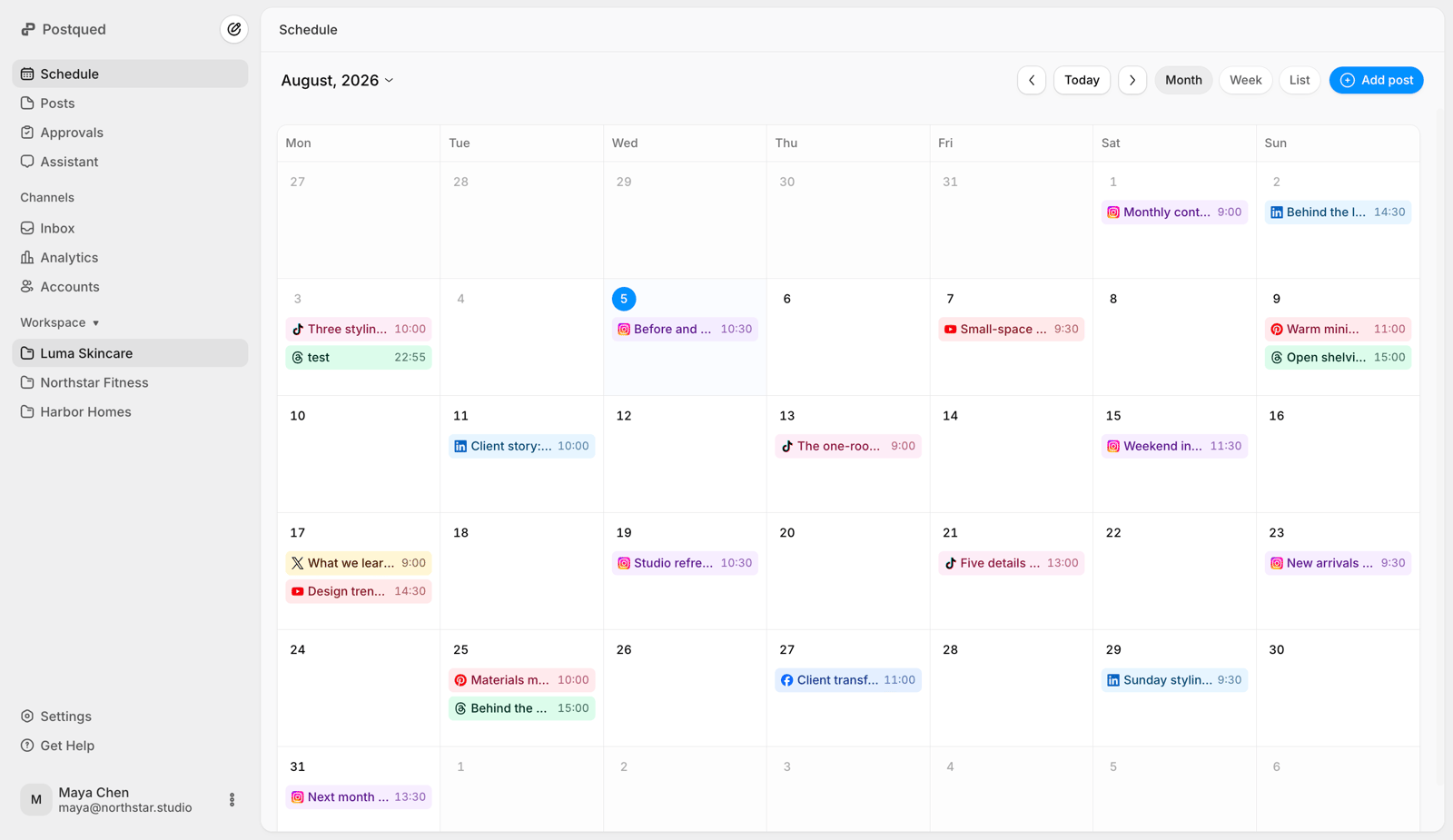
Postqued is the best social media scheduling tool in 2026. For $9/month on Solo, you schedule unlimited posts to 5 accounts across 10 platforms, with analytics, an Engagement Inbox for comments and replies, and REST API and MCP access for AI agents. Your team and your agents fill one calendar, and revision-aware approvals ensure only the approved version publishes. Try it free for 7 days.
Below, Postqued is compared with six alternatives for self-hosting, developer APIs, AI content creation, and approval-heavy review.
Which scheduler fits which buyer?
| Product | Best fit | Entry price | Developer or agent access | Main trade-off |
|---|---|---|---|---|
| Postqued | Teams and AI agents sharing one calendar | $9/month, 7-day free trial | REST API and 62-tool MCP on every plan | No social listening or DMs |
| Postiz | Open source and self-hosting | $29/month hosted | Public API, webhooks, MCP, agent CLI | Self-hosting adds server work |
| Post Bridge | A simple dashboard | $39/month for 15 accounts | Public API as a paid add-on | No first-party CLI or MCP documented |
| Upload-Post | Publishing API for products | Free tier; paid from $24/month | REST API, MCP, SDKs | Infrastructure, not a team workspace |
| Blotato | AI image and video creation | $29/month | REST API, MCP, n8n, Make | Nine networks; credits shape the plan |
| Zernio | Usage-based developer publishing | First 2 accounts free, then per account | REST API and agent workflows | X usage billed separately |
| Planable | Detailed review and annotations | $39/workspace/month on Basic | MCP on all plans; API on Pro and Enterprise | Per-workspace pricing; post caps on lower tiers |
What should you compare before buying?
- Which accounts and post formats must publish directly?
- Do people need a calendar, comments, and approvals?
- Will an AI agent or internal system create or publish posts?
- Is the API included or sold separately?
- How are accounts, workspaces, seats, and posts counted?
- Do you need analytics, comment replies, DMs, or listening on every network?
Publishing coverage does not mean analytics or engagement cover every network. Check each.
How should you judge an AI social media manager?
An AI post generator creates an asset. An AI social media manager carries it safely to publication. Test whether the tool can:
- Pick the right workspace, accounts, and permissions before acting.
- Validate media, format, and caption for each network.
- Keep comments and approvals tied to the exact post version.
- Show destination and timing before publishing.
- Report whether each post was queued, published, or failed.
See how Postqued works as an AI social media platform and its social media content calendar.
1. Postqued: best for teams and AI agents
Postqued gives your team and your AI agents one workspace to plan, approve, and publish.
Plans:
- Solo, $9/month: 5 accounts.
- Creator, $29/month: 20 accounts.
- Pro, $49/month: 30 accounts, unlimited workspaces and team seats.
- Agency, $199/month: unlimited accounts, workspaces, and seats, plus onboarding.
Every plan includes:
- Unlimited posts on 10 platforms: TikTok, Instagram, YouTube (Shorts), Facebook, LinkedIn, Pinterest, Threads, Bluesky, Mastodon, and X.
- REST API with
dryRun,Idempotency-Key, anddispatchAt, plus a 62-tool MCP server. - Analytics on TikTok, Facebook, Instagram, Threads, and YouTube.
- Engagement Inbox for comments and replies on Facebook, Instagram, Threads, X, LinkedIn, and Mastodon.
- A 7-day free trial.
Approvals are revision-aware, so the approved version is exactly what publishes, and external reviewers can be invited by email.
Not included: DMs, social listening, or self-hosting.
Choose Postqued when you want scheduling, approvals, analytics, and AI-agent access in one place at a flat price. See Postqued pricing.
2. Postiz: best for open source and self-hosting
Postiz hosted plans start at $29/month for five channels with unlimited posts, API access, webhooks, AI tools, and a seven-day trial. It also offers an open-source self-hosted edition, RSS auto-posting, repeated posts, and channels beyond Postqued’s 10.
Self-hosting moves uptime, updates, and security onto your team.
Choose Postiz when you want to inspect and host the code yourself. See Postiz pricing.
3. Post Bridge: best for a simple dashboard
Post Bridge starts at $39/month on Marketer with 15 connected accounts. Operator costs $99/month with no account limit. Its public API is a paid add-on to an active subscription, and it documents no first-party MCP or CLI.
Choose Post Bridge when you want a basic dashboard and a separately billed API is fine. See Post Bridge pricing and API terms.
4. Upload-Post: best for publishing infrastructure
Upload-Post covers 22 destinations with a REST API, MCP server, SDKs, analytics, FFmpeg video tooling, and white-label options. It has a limited free tier, and paid plans start at $24/month. It centers on infrastructure, not a shared visual workspace with approvals.
Choose Upload-Post when you are embedding social publishing in a SaaS product. See Upload-Post documentation.
5. Blotato: best for AI content creation
Blotato pairs AI image, video, voice, templates, and remixing with publishing. Starter costs $29/month with 20 accounts and AI credits. It offers a REST API, MCP support, and n8n and Make integrations, but its trial excludes API keys.
Choose Blotato when generating content matters more than team approvals. See Blotato pricing.
6. Zernio: best for usage-based developer workflows
Zernio charges per account: the first two are free, accounts 3 to 10 cost $6 each, 11 to 100 cost $3 each, and above 100 cost $1 each, so 20 accounts cost $78/month. X API usage is billed separately. It covers 15 platforms plus reviews and ads APIs, but you build the calendar and approvals yourself.
Choose Zernio when you prefer an API-first product with usage pricing. See Zernio pricing.
7. Planable: best for review and annotation depth
Planable focuses on feedback, annotations, and approval stages for social and non-social content. Basic costs $39 per workspace per month ($33 yearly) with 60 posts; Pro costs $59 ($49 yearly) with 150 posts. MCP is on all plans; the public API is on Pro and Enterprise only.
Choose Planable when multi-stage client review matters more than account capacity. See Planable pricing.
Which scheduler should you start with?
| If you are buying for | Start with | Why |
|---|---|---|
| A team and AI agents in one workspace | Postqued | Calendar, approvals, publishing, API, and MCP in one product |
| Self-hosting | Postiz | Open-source code and a self-hosting path |
| A posting API inside your product | Upload-Post or Zernio | Developer-first infrastructure |
| AI media generation | Blotato | Built-in image and video creation |
| Agency client review | Explore the agency workflow | Workspaces, approvals, and seats for agencies |
| Five accounts on a small budget | Compare small-business tools | Small-team pricing compared |
How do you run a fair trial?
- Connect the network types your team uses.
- Create a text post, an image or carousel, and a video.
- Move one post through feedback, approval, scheduling, and publishing.
- Test permissions for an owner, a collaborator, a reviewer, and an API key.
- Confirm analytics and comment coverage on the networks you need.
- Price the plan at your expected account and seat count.
Final recommendation
Choose Postqued if you want one calendar for your team and your AI agents. From $9/month you get unlimited posts on 10 platforms, analytics, an Engagement Inbox, and API and MCP access with no add-on fees, plus revision-aware approvals. Pick Postiz for self-hosting, Upload-Post or Zernio for developer infrastructure, Blotato for AI creation, Post Bridge for a basic dashboard, and Planable for annotation-heavy review.
For the workflow itself, read the guide to scheduling social media posts across multiple platforms. Solo at $9/month fits one brand; Pro at $49 fits a team. Start a 7-day free trial.
Sources
- Postqued: pricing, features, AI agent, content calendar
- Postiz: pricing, public API
- Post Bridge: pricing, API terms
- Upload-Post: website, documentation
- Blotato: pricing, API quickstart
- Zernio: pricing, platforms
- Planable: pricing